
In today’s fast-moving business world, companies are constantly looking for ways to save time, reduce costs, and improve productivity. Employees often spend a large part of their working day on repetitive tasks such as sending emails, entering data, approving requests, updating records, and creating reports. While these activities may seem simple, they can take up valuable hours and leave less time for meaningful work.
This is where Workflow Automation can make a major difference. It allows businesses to automate repetitive processes so that tasks can move from one stage to another with little or no manual involvement. Instead of relying on employees to remember every step, automated workflows can handle routine activities consistently and efficiently.
Whether you run a small business or manage a large organization, workflow automation can help create smoother operations and give your team more time to focus on important goals.
What Is Workflow Automation?
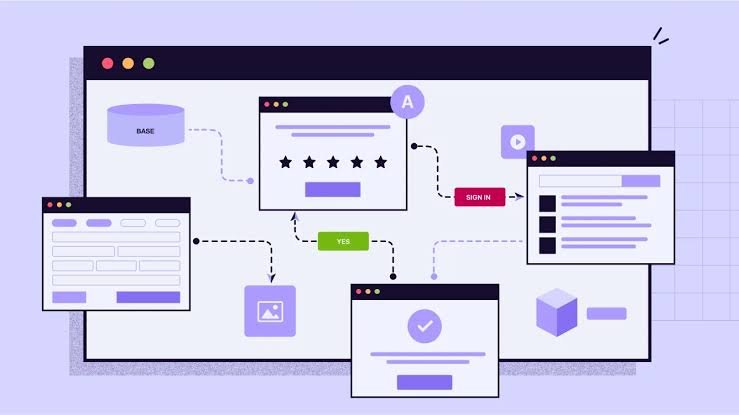
Workflow automation is the use of technology to perform a series of predefined tasks automatically. A workflow usually consists of multiple steps that need to happen in a particular order. Automation connects these steps and triggers the next action when a specific condition is met.
For example, imagine a company receives a new customer inquiry through its website. Without automation, an employee might have to read the inquiry, enter the customer’s information into a database, send a confirmation email, notify the sales team, and create a follow-up task.
With an automated workflow, all of these actions can happen automatically. Once the inquiry is submitted, the system can save the customer’s information, send an email, notify the appropriate employee, and schedule a follow-up.
In simple terms, workflow automation helps businesses replace repetitive manual processes with efficient digital systems.
Why Is Workflow Automation Important?
Businesses handle hundreds or even thousands of small tasks every day. When these tasks are performed manually, there is always a possibility of delays, mistakes, or missed steps.
Automation helps solve many of these problems by making processes more predictable and consistent.
One of the biggest advantages is time savings. Employees no longer need to spend hours completing repetitive administrative tasks. Instead, they can use that time for customer service, strategy, creative work, problem-solving, and other activities that require human judgment.
Automation can also improve accuracy. People can make mistakes when entering data or following repetitive procedures, especially when they are tired or under pressure. Automated systems follow predefined rules, reducing the risk of common human errors.
Another important benefit is consistency. An automated workflow performs tasks in the same way every time. This can be particularly useful for businesses that need to follow specific procedures or maintain accurate records.
Common Examples of Workflow Automation
Workflow automation can be used in almost every department of a business. It is not limited to one specific industry or type of company.
1. Email Automation
Businesses frequently send confirmation emails, reminders, notifications, and follow-ups. Instead of sending these messages manually, companies can create automated workflows that send the right message at the right time.
For example, when someone signs up for a service, an automated workflow can send a welcome email immediately and then send additional messages over the following days.
2. Employee Onboarding
Hiring a new employee involves many steps. Human resources may need to collect documents, create accounts, notify different departments, schedule training, and provide company information.
An automated onboarding workflow can coordinate these tasks automatically. When a new employee is added to the system, the relevant departments can receive notifications and the required tasks can be assigned without unnecessary delays.
3. Invoice and Payment Processing
Financial departments often deal with invoices, approvals, and payment requests. Manual processing can be slow and may lead to errors.
With automation, an invoice can be automatically routed to the appropriate person for approval. Once approved, the system can update records and notify the finance team about the next step.
4. Customer Support
Customer service teams can also benefit from automated workflows. When a customer submits a support request, automation can categorize the request, assign it to the correct team, send an acknowledgment email, and create a task for follow-up.
This helps customers receive faster responses while allowing support teams to organize their workload more effectively.
5. Sales Processes
Sales teams often spend time updating customer records, scheduling follow-ups, and moving leads through different stages.
An automated workflow can update a customer relationship management system when a lead takes a specific action. It can also remind sales representatives when it is time to contact a potential customer.
Key Benefits of Workflow Automation
The value of automation goes beyond simply saving time. When implemented correctly, it can improve the overall performance of a business.
Increased Productivity
Employees can spend less time on repetitive administrative work and more time on activities that contribute directly to business growth. This can lead to higher productivity without necessarily increasing the size of the workforce.
Fewer Human Errors
Manual data entry and repetitive tasks can easily result in mistakes. Automation reduces the number of manual steps involved in a process, which can improve data accuracy and reliability.
Faster Processes
Automated workflows can operate instantly or according to a predefined schedule. A task that might normally wait several hours for someone to complete can move to the next stage automatically.
Better Employee Experience
Nobody enjoys spending an entire day performing repetitive tasks. Automation can remove some of this frustration and allow employees to focus on more interesting and valuable responsibilities.
Improved Customer Experience
Customers expect businesses to respond quickly. Automation can help companies send faster confirmations, provide timely updates, and ensure that requests reach the right people.
Easier Tracking and Monitoring
Automated workflows can provide visibility into the progress of a process. Managers can identify bottlenecks, see which tasks are completed, and determine where improvements may be needed.
How to Get Started With Workflow Automation
Implementing automation does not mean that a business needs to automate everything immediately. In fact, starting small is often the better approach.
First, identify repetitive processes that take a significant amount of time. Look for tasks that follow the same steps every time and do not require much human judgment.
Next, document the existing process. Write down what happens from the beginning to the end. This helps identify unnecessary steps and makes it easier to determine which parts can be automated.
After that, choose an appropriate automation solution. Different tools offer different features, so businesses should consider their existing software, budget, security requirements, and specific goals.
It is also important to test the workflow before launching it across the organization. A small mistake in an automated process can potentially affect many tasks at once. Testing helps identify problems before they become larger issues.
Finally, monitor the workflow after implementation. Business processes change over time, so automated workflows should be reviewed and improved when necessary.
Challenges to Consider
Although workflow automation offers many benefits, it is not a solution to every problem. Businesses should carefully plan their automation strategy.
One common challenge is automating a poorly designed process. If a process is inefficient to begin with, automation may simply make an inefficient process run faster. It is usually better to simplify and improve the process before automating it.
Another challenge is employee adoption. Team members may initially worry that automation will replace their jobs or make their responsibilities more complicated. Clear communication and proper training can help employees understand that automation is designed to support their work.
Data security is another important consideration. Automated systems may handle sensitive customer, financial, or employee information. Businesses should therefore select reliable solutions and establish appropriate security controls.
The Future of Workflow Automation
As technology continues to develop, automation is becoming more intelligent and accessible. Modern systems can work with cloud applications, business databases, communication platforms, and other digital tools.
Artificial intelligence is also expanding the possibilities of automation. AI-powered systems can help analyze information, classify requests, summarize content, and support decision-making. This means future workflows may not simply follow fixed rules but may also respond intelligently to different situations.
For businesses, this creates an opportunity to build more flexible and efficient operations. Companies that learn how to combine automation with human expertise can potentially improve productivity while maintaining the creativity and judgment that technology cannot fully replace.
Frequently Asked Questions
1. What is workflow automation in simple terms?
Workflow automation means using software or technology to complete repetitive business tasks automatically. Instead of an employee manually performing every step, the system follows predefined rules and moves tasks through the process automatically.
2. What types of tasks can be automated?
Many repetitive tasks can be automated, including email notifications, data entry, employee onboarding, invoice approvals, customer follow-ups, lead management, report generation, and task assignments. The best candidates are usually processes that happen frequently and follow predictable steps.
3. Can small businesses benefit from workflow automation?
Yes. Small businesses can benefit significantly because automation can reduce administrative work and help small teams accomplish more without adding unnecessary workload. Even simple automated processes can save considerable time over the long term.
4. Does workflow automation replace employees?
Not necessarily. The main purpose of automation is generally to reduce repetitive work rather than replace human decision-making. Employees can use the time saved through automation to focus on communication, problem-solving, creativity, customer relationships, and strategic responsibilities.
5. How can a business start using workflow automation?
A business can start by identifying one repetitive process that takes considerable time. Document the current steps, remove unnecessary activities, select a suitable automation tool, test the workflow, and monitor its performance. Once the first workflow works successfully, the company can gradually automate additional processes.
Final Thoughts
Workflow Automation is more than just a way to reduce repetitive tasks. It is a practical approach to creating faster, more consistent, and more organized business processes.
From customer support and sales to finance and employee onboarding, automation can be applied to many areas of an organization. The key is to identify the right processes, plan carefully, choose suitable technology, and continuously monitor the results.
When used properly, automation allows employees to spend less time on routine work and more time on activities that require creativity, communication, and critical thinking. For businesses looking to improve efficiency and remain competitive, workflow automation can be an important part of a modern digital strategy.