
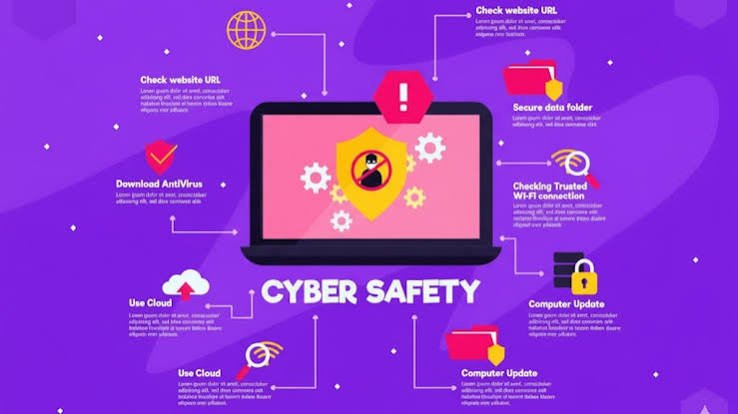
The internet has become an essential part of everyday life. People use online services to communicate, shop, manage money, work, study, store personal information, and connect with others. Businesses also depend heavily on digital systems to manage customers, employees, payments, and important company data. While technology has made life easier, it has also created new security risks.
Cybercriminals are constantly developing new ways to steal information, damage systems, and access private accounts. A simple phishing email, weak password, or outdated application can sometimes give attackers an opportunity to enter a system. This is why Cyber Protection has become an important part of personal and business security.
Cyber protection refers to the methods, technologies, and practices used to protect computers, networks, devices, applications, and data from online threats. It is not only about installing antivirus software. Effective protection requires a combination of technology, awareness, strong security habits, and regular monitoring.
What Is Cyber Protection?
Cyber protection is the process of defending digital devices, systems, networks, and information against unauthorized access, cyberattacks, malware, data theft, and other online threats.
It can be used by individuals, small businesses, large organizations, schools, healthcare providers, financial institutions, and government agencies. The goal is to prevent security incidents whenever possible and reduce the damage if an attack occurs.
For example, using multi-factor authentication can make it much harder for someone to access an account even if they discover the password. Similarly, regularly updating software can fix security weaknesses that attackers might otherwise exploit.
Cyber protection is therefore a combination of prevention, detection, response, and recovery.
Why Is Cyber Protection Important?
The amount of sensitive information stored online continues to grow. Personal information such as names, addresses, passwords, financial details, photographs, and identification documents may all be stored digitally.
For businesses, the risks can be even greater. Companies may hold customer records, payment information, employee data, intellectual property, and confidential business documents. A successful cyberattack can result in financial losses, legal problems, reputational damage, and disruption to normal operations.
Cyber protection helps reduce these risks by creating multiple layers of security.
One of the biggest advantages is the protection of personal and confidential information. Strong security controls can prevent unauthorized people from gaining access to valuable data.
Cyber protection can also help maintain business continuity. If systems are attacked or data is encrypted by ransomware, reliable backups and recovery procedures can help an organization return to normal operations more quickly.
Common Cyber Threats
Understanding common threats is one of the first steps toward better digital security.
Phishing
Phishing is one of the most common online threats. Attackers send fake emails, messages, or websites designed to trick people into revealing passwords, financial information, or other sensitive details.
These messages can sometimes look surprisingly convincing. They may appear to come from a bank, employer, delivery company, or familiar online service.
The safest approach is to avoid clicking suspicious links and verify unexpected requests through an official source.
Malware
Malware is malicious software designed to damage systems, steal information, or gain unauthorized access. Viruses, spyware, trojans, and ransomware are examples of malware.
Keeping operating systems and applications updated, using reputable security software, and avoiding suspicious downloads can reduce the risk.
Ransomware
Ransomware is a type of malware that can encrypt files or prevent access to systems. Attackers then demand payment in exchange for restoring access.
Regular backups are particularly important because they can provide an alternative way to recover important information after an attack.
Password Attacks
Weak or reused passwords can make online accounts easier to compromise. If the same password is used across several services, one stolen password could potentially put multiple accounts at risk.
Using long, unique passwords and a password manager can significantly improve account security.
Social Engineering
Social engineering attacks focus on manipulating people rather than directly attacking technology. An attacker may pretend to be a colleague, customer, technical support representative, or company executive.
The purpose is often to convince someone to provide confidential information or perform an unsafe action. Awareness and careful verification are important defenses against these attacks.
Essential Cyber Protection Practices
Good cyber protection does not necessarily require complicated technology. Several simple habits can make a major difference.
Use Strong and Unique Passwords
Every important account should have a unique password. Passwords should be difficult to guess and preferably long rather than simply complicated.
A password manager can help users create and securely store unique passwords without requiring them to remember every password individually.
Enable Multi-Factor Authentication
Multi-factor authentication, often called MFA, adds another layer of security to an account. Instead of relying only on a password, it may require a code, authentication app, security key, or another verification method.
Even when a password is compromised, MFA can make unauthorized access significantly more difficult.
Keep Software Updated
Software updates often contain security fixes. Delaying updates can leave known vulnerabilities open to attackers.
Operating systems, browsers, mobile applications, security software, and other important programs should be updated regularly.
Be Careful With Emails and Links
People should not automatically trust every email or message they receive. Unexpected attachments, urgent payment requests, unfamiliar links, and unusual login notifications deserve extra attention.
When something seems suspicious, it is better to verify it independently rather than responding immediately.
Back Up Important Data
Backups are an essential part of cyber protection. Important documents, photographs, business records, and other valuable files should be backed up regularly.
Ideally, backups should be protected from unauthorized access and kept separately from the primary system. This can be especially useful in the event of ransomware, hardware failure, accidental deletion, or other incidents.
Secure Your Wi-Fi Network
Home and business Wi-Fi networks should use strong passwords and modern security settings. The default administrator password on a router should also be changed.
For businesses, separate networks can be used for employees, guests, and sensitive systems where appropriate.
Cyber Protection for Businesses
Businesses face a wide range of cyber risks because they often manage large amounts of information and provide access to multiple employees and devices.
A strong business security strategy should begin with identifying the most important systems and information. Once these assets are understood, organizations can determine which security controls are needed.
Employee training is also critical. Even the most advanced security technology can be undermined if an employee accidentally opens a malicious attachment or shares confidential information with the wrong person.
Businesses should consider using access controls, endpoint security, network monitoring, encryption, secure backups, multi-factor authentication, and incident response procedures.
Access should also be limited according to job responsibilities. Employees generally should not have more access than they need to perform their work. This principle can reduce the potential impact of a compromised account.
The Human Factor in Cybersecurity
Technology is only one part of cyber protection. Human behavior plays a major role in digital security.
People sometimes choose convenient passwords, ignore software updates, click links without checking them, or respond to urgent requests without verification. Cybercriminals understand these habits and often use them to their advantage.
Regular security awareness training can help employees and individuals recognize suspicious activity. The goal is not to make people afraid of technology but to help them make smarter decisions when using it.
A security-conscious culture can be one of the strongest defenses against cyber threats.
What to Do After a Cyberattack
Even with strong security measures, no system can guarantee complete protection from every possible threat. Preparing for an incident is therefore just as important as trying to prevent one.
If an account is compromised, the affected password should be changed immediately, especially if it was reused elsewhere. Multi-factor authentication should also be enabled if available.
For businesses, affected systems may need to be isolated to prevent an attack from spreading. Important logs and evidence should be preserved, and the incident should be investigated carefully.
If sensitive information has been exposed, the organization may also need to follow applicable notification and legal requirements.
Having an incident response plan in advance can make these situations much easier to manage.
The Future of Cyber Protection
Cyber threats are changing as technology evolves. Cloud computing, connected devices, artificial intelligence, remote work, and mobile technology have created new opportunities as well as new security challenges.
At the same time, cybersecurity technologies are becoming more sophisticated. Automated monitoring, threat detection, identity protection, encryption, and artificial intelligence can help security teams identify suspicious activity more quickly.
However, technology alone will not solve every security problem. The future of cyber protection will likely depend on a combination of advanced security tools, responsible technology use, employee education, strong policies, and continuous monitoring.
Frequently Asked Questions About Cyber Protection
1. What is Cyber Protection?
Cyber protection is the practice of protecting digital devices, networks, systems, accounts, and data from cyber threats such as malware, phishing, unauthorized access, ransomware, and data theft.
2. Why is Cyber Protection important?
Cyber protection helps prevent unauthorized access to personal and business information. It can also reduce financial losses, data breaches, downtime, and other consequences associated with cyberattacks.
3. What is the best way to protect online accounts?
Using unique and strong passwords together with multi-factor authentication is one of the most effective ways to improve account security. Keeping recovery information updated is also helpful.
4. Can antivirus software provide complete Cyber Protection?
No. Antivirus software can help detect and block certain types of malicious software, but it is only one part of a complete security strategy. Safe browsing, strong passwords, MFA, updates, backups, and user awareness are also important.
5. How can businesses improve Cyber Protection?
Businesses can improve security by using MFA, employee training, access controls, software updates, endpoint protection, secure backups, network monitoring, and an incident response plan.
6. How often should important data be backed up?
Important data should be backed up regularly based on how frequently it changes and how much data an individual or organization can afford to lose. Businesses with critical information may need frequent or automated backups.
7. What should I do if I click a suspicious link?
If you clicked a suspicious link, avoid entering additional information and disconnect the affected device from the network if you suspect malware. Change potentially exposed passwords from a trusted device and monitor relevant accounts for unusual activity.
8. Is Cyber Protection only necessary for large companies?
No. Individuals, families, freelancers, small businesses, and large organizations can all become targets of cybercrime. Basic security practices are valuable for anyone who uses digital devices or online services.
Conclusion
Cyber protection is no longer something only large companies or technology professionals need to think about. Anyone who uses a smartphone, computer, online banking service, social media account, or cloud platform has a reason to take digital security seriously.
Strong passwords, multi-factor authentication, software updates, secure backups, careful browsing habits, and security awareness can significantly reduce many common risks.
The most effective approach is to treat cyber protection as an ongoing process rather than a one-time task. Threats change, technology changes, and security weaknesses can appear over time. Regularly reviewing security practices and staying informed can help individuals and organizations remain better prepared for the digital threats of tomorrow.