
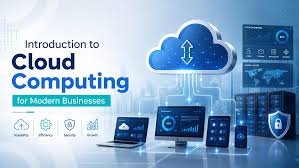
In today’s digital world, businesses need technology that can grow with their needs, remain reliable, and keep costs under control. Traditional IT infrastructure can be expensive and difficult to manage, especially when a company needs more storage, computing power, or applications as it grows. This is where Cloud Infrastructure has become an important solution.
Cloud infrastructure provides businesses with access to computing resources such as servers, storage, networking, databases, and software through the internet. Instead of purchasing and maintaining large amounts of physical hardware, organizations can use resources provided by cloud service providers and scale them whenever necessary.
From small startups to large enterprises, cloud infrastructure is changing the way companies build, manage, and deliver digital services. It supports remote work, modern applications, data management, artificial intelligence, online stores, and many other business operations.
What Is Cloud Infrastructure?
Cloud infrastructure refers to the collection of physical and virtual resources used to deliver cloud computing services. These resources generally include servers, storage systems, networking equipment, virtualization technology, security tools, and management software.
Unlike traditional infrastructure, where a business may own physical servers in an office or private data center, cloud infrastructure is usually hosted in professionally managed data centers. Users can access these resources remotely through the internet.
For example, a company launching a new website may need additional server capacity when traffic increases. With cloud infrastructure, the company can increase its computing resources without purchasing and installing new physical servers. When demand decreases, it can reduce those resources again.
This flexibility makes cloud technology particularly useful for businesses with changing workloads.
Main Components of Cloud Infrastructure
Cloud infrastructure consists of several important components that work together to provide reliable computing services.
1. Computing Resources
Computing resources include virtual machines, processors, and memory that allow applications and services to run. Businesses can select different levels of computing power depending on their requirements.
Virtual machines are especially important because multiple virtual environments can operate on the same physical server. This allows cloud providers to use hardware efficiently while giving customers flexible computing options.
2. Storage
Cloud storage allows organizations to store files, databases, backups, videos, applications, and other types of information without maintaining physical storage devices themselves.
Businesses can increase or decrease their storage capacity according to their needs. Cloud storage can also support data backup and disaster recovery, helping organizations protect important information.
3. Networking
Networking connects cloud resources and allows users, applications, and systems to communicate with one another. It includes technologies such as virtual networks, firewalls, load balancers, and internet connections.
A properly designed cloud network helps applications remain available while also improving security and performance.
4. Virtualization
Virtualization is one of the technologies that makes modern cloud environments possible. It allows physical hardware to be divided into multiple virtual resources.
For businesses, virtualization provides greater flexibility because computing resources can be created, modified, or removed without physically changing hardware.
5. Security
Security is another essential part of cloud infrastructure. Cloud environments may include firewalls, encryption, identity management, access controls, monitoring systems, and security policies.
Although cloud providers manage much of the underlying infrastructure, businesses are still responsible for protecting their accounts, applications, data, and user access.
Types of Cloud Infrastructure
Cloud infrastructure can be organized into different models depending on how resources are owned, managed, and accessed.
Public Cloud
A public cloud provides computing resources to multiple customers through a cloud service provider. Customers generally pay for the resources they use instead of purchasing physical hardware.
Public cloud environments are popular because they can be quickly deployed and scaled. They are suitable for websites, applications, development environments, data storage, and many other workloads.
Private Cloud
A private cloud is designed for the exclusive use of one organization. It may be hosted within the company’s own data center or managed by an external provider.
Private cloud infrastructure can provide greater control and customization. It may be particularly useful for organizations with strict security, compliance, or operational requirements.
Hybrid Cloud
A hybrid cloud combines public and private cloud environments. A business may keep sensitive workloads in a private environment while using public cloud resources for applications that require additional scalability.
This approach gives organizations greater flexibility, although managing multiple environments can require more planning and technical expertise.
Multi-Cloud
A multi-cloud strategy involves using services from more than one cloud provider. Businesses may choose this approach to access different technologies, improve flexibility, or avoid depending entirely on one provider.
However, managing multiple cloud platforms can increase complexity, so organizations should have a clear strategy before adopting this model.
Benefits of Cloud Infrastructure
One of the biggest reasons businesses adopt cloud infrastructure is its flexibility. Companies can obtain computing resources when they need them rather than investing heavily in hardware in advance.
Scalability
Cloud infrastructure allows organizations to increase resources when demand grows. For example, an online retailer may require additional computing power during a major sales event and reduce it afterward.
Cost Efficiency
Traditional infrastructure often requires significant upfront spending on servers, storage, networking equipment, maintenance, and physical facilities. Cloud services can reduce these capital expenses by allowing businesses to pay for resources based on usage.
Cloud computing does not automatically make every workload cheaper, but proper resource management can help organizations control technology costs.
Improved Reliability
Cloud providers typically operate large data centers with redundancy and backup systems. If one component experiences a problem, other resources may help maintain service availability.
Businesses can also design their cloud environments across multiple availability zones or regions to improve resilience.
Faster Deployment
Cloud resources can often be provisioned much faster than physical hardware. Development teams can create test environments, launch applications, and experiment with new technologies without waiting for servers to be purchased and installed.
Remote Accessibility
Because cloud resources are accessible over networks, employees and teams can work with applications and data from different locations. This has become particularly valuable for distributed and remote teams.
Cloud Infrastructure and Business Growth
Cloud infrastructure can support business growth by removing some of the limitations associated with physical IT environments.
A growing company may start with a small application and a limited number of users. As its customer base increases, its technology requirements also increase. Instead of repeatedly purchasing new hardware, the organization can expand its cloud resources.
Cloud infrastructure can also support modern development practices. Developers can create applications using containers, APIs, managed databases, serverless services, and automated deployment tools. These technologies can make it easier to release updates and respond to changing customer expectations.
For startups, this flexibility can be especially valuable because they may need to grow quickly without making large infrastructure investments at an early stage.
Security Considerations
Cloud infrastructure offers many security capabilities, but security remains a shared responsibility.
Businesses should carefully manage user permissions and avoid giving employees more access than they actually need. Strong passwords, multi-factor authentication, encryption, regular software updates, and continuous monitoring can also reduce security risks.
Organizations should understand the security responsibilities of their chosen cloud provider and clearly identify which tasks are handled by the provider and which remain under their control.
Regular backups are also important. Even when cloud services provide high reliability, businesses should have a recovery plan for accidental deletion, application failures, cyber incidents, or other unexpected events.
How to Choose the Right Cloud Infrastructure
Choosing the right cloud infrastructure requires more than simply selecting a provider. Businesses should first understand their applications, workload requirements, budget, security needs, and expected growth.
Important factors include computing capacity, storage requirements, network performance, data location, security features, availability, technical support, and pricing.
It is also important to monitor cloud usage after deployment. Unused resources can create unnecessary expenses, while poorly configured systems may affect application performance.
A successful cloud strategy should therefore include regular monitoring, optimization, security reviews, and cost management.
The Future of Cloud Infrastructure
Cloud infrastructure continues to evolve as businesses adopt artificial intelligence, machine learning, big data analytics, Internet of Things applications, and other advanced technologies.
Modern cloud platforms are increasingly offering specialized computing resources for demanding workloads. Automation is also becoming more important, allowing organizations to manage infrastructure with less manual effort.
Edge computing is another developing area. Instead of processing all information in centralized cloud data centers, some workloads can be processed closer to where data is generated. This can be useful for applications that require fast responses.
As digital services continue to expand, flexible and scalable infrastructure will remain an important part of business technology.
Frequently Asked Questions
1. What is Cloud Infrastructure?
Cloud infrastructure is the combination of computing resources, storage, networking, virtualization, and security technologies used to deliver cloud-based services. These resources are generally accessed through the internet and can be scaled according to business requirements.
2. How does Cloud Infrastructure work?
Cloud infrastructure uses physical data centers and virtual technologies to provide computing resources remotely. Cloud providers manage the underlying hardware, while customers use virtual servers, storage, networks, databases, and other services based on their needs.
3. What are the main benefits of Cloud Infrastructure?
The major benefits include scalability, flexible resource management, faster deployment, remote accessibility, improved infrastructure flexibility, and potentially lower upfront IT costs. Businesses can adjust resources as their workloads change.
4. Is Cloud Infrastructure secure?
Cloud infrastructure can be highly secure when it is properly configured and managed. Providers offer security features such as encryption, identity management, firewalls, and monitoring. However, businesses must also protect accounts, applications, data, and user permissions.
5. What is the difference between public and private cloud infrastructure?
Public cloud infrastructure uses resources provided to multiple customers by a cloud provider, while private cloud infrastructure is dedicated to a single organization. Public clouds generally offer greater flexibility, while private environments can provide more control and customization.
6. Can small businesses use Cloud Infrastructure?
Yes. Small businesses can use cloud infrastructure without building and maintaining their own large data centers. They can start with the resources they need and increase capacity as their business grows.
7. Does Cloud Infrastructure reduce IT costs?
It can reduce certain costs, especially large upfront hardware investments and some infrastructure maintenance expenses. However, cloud services can become expensive if resources are poorly managed. Monitoring usage and removing unnecessary resources are important for controlling costs.
8. What should businesses consider before adopting Cloud Infrastructure?
Businesses should evaluate their workload requirements, security needs, budget, scalability, performance, compliance obligations, data requirements, and technical capabilities. A clear migration and management strategy can help ensure that the cloud environment delivers real business value.
Conclusion
Cloud infrastructure has transformed the way organizations build and manage their technology environments. By providing flexible access to computing, storage, networking, and security resources, it allows businesses to adapt more quickly to changing demands.
Whether a company is a small startup or a large enterprise, cloud infrastructure can provide scalability, faster deployment, remote accessibility, and greater operational flexibility. However, businesses need a clear strategy to manage security, costs, performance, and compliance effectively.
The most successful cloud environments are not simply moved to the cloud and forgotten. They are continuously monitored, optimized, and improved according to business goals. With the right planning and management, cloud infrastructure can become a strong foundation for long-term digital growth.