
In today’s fast-moving digital world, businesses are constantly looking for smarter ways to manage their operations, reduce costs, and improve productivity. This is where SaaS solutions have become increasingly important. Instead of purchasing expensive software, installing it on individual computers, and managing complicated updates, companies can access software through the internet whenever they need it.
Software as a Service, commonly known as SaaS, has changed the way organizations use technology. From customer relationship management and accounting to project management, communication, marketing, and data storage, SaaS platforms are now used across almost every industry.
Whether you run a small business, manage a growing startup, or operate a large organization, understanding SaaS solutions can help you make better technology decisions.
What Are SaaS Solutions?
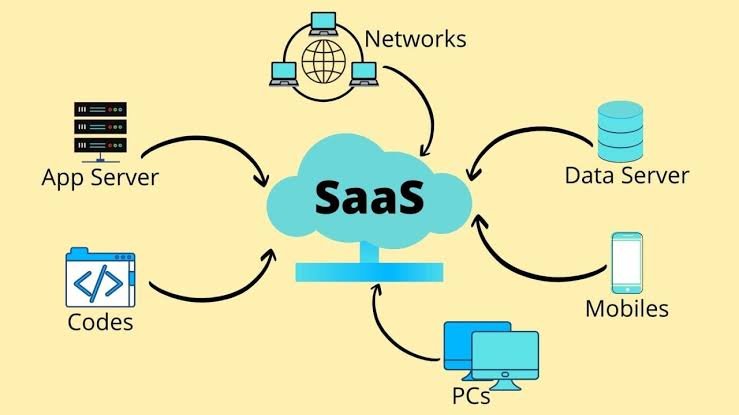
SaaS solutions are software applications that are hosted by a service provider and delivered to users over the internet. Instead of downloading and installing software permanently on a computer, users typically access the application through a web browser or dedicated app.
The SaaS provider is generally responsible for maintaining the software, managing infrastructure, applying security updates, and introducing new features. Customers usually pay through a subscription model, which may be monthly or annual.
For example, a company might use a SaaS platform for managing customer information, tracking sales, communicating with employees, processing payments, or organizing projects. Employees can access these tools from different devices and locations as long as they have an internet connection and the necessary permissions.
This approach makes software easier to access while reducing much of the technical work traditionally associated with maintaining business applications.
How Do SaaS Solutions Work?
SaaS solutions operate through cloud computing. The software and related infrastructure are hosted on servers managed by the SaaS provider. Customers do not normally need to maintain the underlying hardware or software themselves.
When a user logs into a SaaS application, their browser or application connects to the provider’s servers. The requested information is processed there and delivered back to the user.
Most SaaS platforms use a subscription-based pricing structure. Depending on the provider, businesses may pay according to the number of users, features, storage requirements, usage levels, or a combination of these factors.
Providers also regularly update their platforms. This means customers can often receive new features, performance improvements, bug fixes, and security updates without manually installing a new version.
Benefits of SaaS Solutions for Businesses
One of the biggest reasons businesses adopt SaaS solutions is convenience. However, convenience is only one part of their value. There are several other advantages worth considering.
1. Lower Initial Costs
Traditional software can require significant upfront investment. Businesses may need to purchase licenses, servers, networking equipment, and other infrastructure.
SaaS solutions generally replace much of this initial expense with a recurring subscription. This can make advanced software more accessible to startups and smaller companies.
2. Easy Accessibility
Because SaaS applications are usually accessed online, employees can work from different locations and devices. This is particularly useful for remote and hybrid teams.
A salesperson traveling for work, for example, can access customer information from a laptop or mobile device without being physically present in the company’s office.
3. Automatic Updates
Keeping traditional software updated can consume time and resources. SaaS providers usually handle updates on the backend.
Businesses can therefore spend less time worrying about software maintenance and more time focusing on their core operations.
4. Scalability
Business needs can change quickly. A company may start with a small team and eventually grow to hundreds of employees.
Many SaaS platforms allow organizations to add users, features, storage, or other resources as their requirements increase. This flexibility can make SaaS a practical option for growing businesses.
5. Faster Implementation
Traditional software deployments can take weeks or months, particularly when complex infrastructure is involved. SaaS applications are often much faster to implement.
In many cases, a business can create an account, configure the necessary settings, import data, and begin using the platform within a relatively short period.
Common Types of SaaS Solutions
SaaS is not limited to one particular type of business software. There are solutions designed for almost every major business function.
Customer Relationship Management
CRM platforms help businesses organize customer information, track leads, manage sales pipelines, and monitor interactions with clients.
These tools can help sales and marketing teams maintain better visibility into customer relationships.
Project Management
Project management SaaS platforms allow teams to create tasks, assign responsibilities, establish deadlines, and monitor progress.
They are particularly useful for teams working on multiple projects or collaborating remotely.
Accounting and Finance
Cloud-based accounting software can help businesses manage invoices, expenses, payroll, budgets, and financial reports.
Because financial information can be accessed online, business owners and accountants can work together without relying entirely on locally installed software.
Human Resources
HR SaaS solutions can support employee onboarding, attendance management, recruitment, performance tracking, and payroll administration.
These systems can reduce repetitive administrative work and help HR departments organize employee information more efficiently.
Marketing Automation
Marketing SaaS platforms can help businesses manage email campaigns, customer journeys, social media activities, analytics, and lead generation.
Automation allows marketing teams to handle repetitive activities while focusing more on strategy and creative work.
Communication and Collaboration
Communication tools are another major category of SaaS. Businesses use these platforms for messaging, video meetings, file sharing, document collaboration, and internal communication.
They have become especially valuable for distributed teams.
SaaS Solutions and Business Productivity
A major advantage of SaaS is its potential to improve productivity. Employees often spend a considerable amount of time switching between systems, searching for information, and performing repetitive tasks.
A well-selected SaaS platform can bring important processes into one centralized environment.
For example, a project management system can show employees what needs to be completed, who is responsible for each task, and when the work is due. A CRM can give sales representatives access to customer history without requiring them to search through multiple spreadsheets.
When systems are properly configured, employees can spend less time managing information and more time completing meaningful work.
Security Considerations When Choosing SaaS
Although SaaS offers many advantages, businesses should not choose a provider based on features and pricing alone. Security should be a major part of the decision-making process.
Before selecting a SaaS provider, companies should consider how customer data is stored and protected. Important factors may include encryption, access controls, authentication options, backup policies, monitoring, and compliance requirements.
Businesses should also understand where their data is stored and what happens to it if the subscription is canceled.
For organizations handling sensitive financial, customer, or personal information, security requirements may be particularly strict. A provider should be able to explain its security practices clearly and provide appropriate documentation when necessary.
How to Choose the Right SaaS Solution
With thousands of SaaS products available, choosing the right platform can sometimes be overwhelming. The best approach is to start with business requirements rather than simply looking for the most popular software.
First, identify the problem you want to solve. Then determine which features are essential and which ones are optional.
Pricing is also important, but the cheapest solution is not always the best choice. A low-cost platform may lack important functionality or require additional tools to fill gaps.
Businesses should also evaluate usability. If employees find a system confusing, adoption can become a serious problem even if the software has excellent features.
Customer support, integration capabilities, scalability, security, and reliability should also be considered before making a final decision.
Whenever possible, taking advantage of a free trial or product demonstration can help a business understand whether the platform actually fits its workflow.
The Future of SaaS Solutions
The SaaS industry continues to evolve as businesses become more dependent on cloud-based technology. Artificial intelligence, automation, advanced analytics, and improved integrations are increasingly becoming part of modern SaaS platforms.
AI-powered features can help users analyze information, automate repetitive tasks, generate content, summarize data, and make faster decisions.
At the same time, businesses are becoming more interested in connecting different SaaS applications. Instead of using isolated tools, companies increasingly want their systems to share information and work together.
This trend is likely to make SaaS platforms even more valuable for organizations seeking flexible and connected digital operations.
Frequently Asked Questions
1. What are SaaS solutions?
SaaS solutions are software applications delivered over the internet. Instead of installing and maintaining the software on local computers or servers, users generally access it through a web browser or application.
2. What does SaaS stand for?
SaaS stands for Software as a Service. It refers to a software delivery model where a provider hosts an application and makes it available to customers through the internet, usually through a subscription.
3. Are SaaS solutions suitable for small businesses?
Yes. SaaS can be particularly useful for small businesses because it can reduce upfront technology costs and provide access to professional software without requiring a large internal IT infrastructure.
4. What are some common examples of SaaS solutions?
Common categories include customer relationship management, project management, accounting, human resources, marketing automation, communication, collaboration, customer support, and cloud storage platforms.
5. How much do SaaS solutions cost?
The cost varies considerably depending on the provider, features, number of users, and pricing model. Some platforms offer free plans, while others charge monthly or annual subscription fees based on usage or functionality.
6. Are SaaS platforms secure?
Many SaaS providers use security measures such as encryption, authentication, access controls, backups, and monitoring. However, security standards differ between providers, so businesses should carefully review a platform’s security practices before using it.
7. Can SaaS solutions integrate with other software?
Yes. Many modern SaaS platforms offer integrations or APIs that allow them to connect with other business applications. These integrations can reduce manual data entry and help different systems work together.
8. How do I choose the right SaaS solution for my business?
Start by identifying the specific problem you need to solve. Then compare important factors such as features, pricing, ease of use, security, integrations, customer support, scalability, and user reviews. A free trial or demonstration can also help you evaluate whether a platform is suitable for your business.
Final Thoughts
SaaS solutions have become an important part of modern business technology. They provide organizations with convenient access to software without requiring them to manage much of the underlying infrastructure themselves.
From CRM and accounting to project management, HR, marketing, and communication, SaaS applications can support a wide range of business activities.
However, choosing the right platform requires careful consideration. Businesses should evaluate their specific needs, budget, security requirements, scalability, integrations, and user experience before committing to a solution.
When selected and implemented properly, SaaS can help businesses reduce unnecessary technical complexity, improve collaboration, increase productivity, and adapt more easily as their needs change.